
Internet connection problems, recorded and explained
ISP Tracker continuously monitors Internet connections at one location or across many. Installed software or dedicated hardware records outages and performance problems as they happen.
Plain-language explanations help identify whether problems appear within the local network, with the provider, or farther across the Internet. Recorded results remain available after the connection recovers; the amount of available history depends on the selected monitoring level.
Free Monitoring shows the current condition of a connection. Extended Monitoring adds history, notifications, and plain-language explanations to help investigate problems.
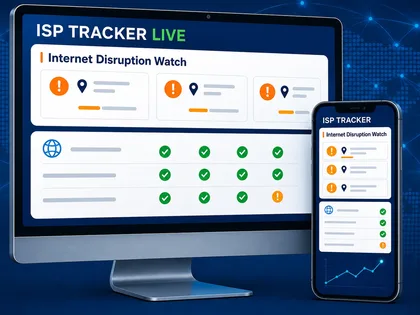
Explore public reports of provider activity, website reachability, and developing Internet disruptions.
How different teams use ISP Tracker
Start with the problem you need to solve. The underlying monitoring grows with you.
Home & Small Business
Know whether the problem is your router, your provider, or something wider.
- Plain-English connection summaries
- Local Status on your network
- History for recurring problems
IT Shops & Support Providers
Spend less time guessing and less money troubleshooting the wrong problem.
- Confirm or eliminate the Internet as the cause sooner
- Direct staff or IT toward the right problem faster
- Reduce downtime, unnecessary service calls, and needless equipment changes
Enterprise & Organizations
Understand problems across many locations, providers, and public services.
For cities and public agencies, independent outage evidence helps teams see affected providers and areas, coordinate faster responses, compare ISP statements with their own records, inform residents, and plan more resilient Internet service. See how cities can use ISP Tracker.
- Compare locations and providers
- Track provider and regional patterns
- Build historical outage evidence
What monitoring requires
WHAT THE AGENT CHECKS
Follow the connection beyond the local network
ISP Tracker compares the router, DNS services, Internet path, and provider response so the result includes useful context—not only a notice that something failed.
Examples of useful results
Monitoring records different measurements so a recognizable problem can be explained without requiring everyone to interpret the technical data first.
Calls and meetings keep disconnecting.
Monitoring recorded repeated short interruptions during the week. Each was brief, but long enough to disrupt calls, meetings, games, or remote sessions.
What it suggests: Short connection drops can matter even when service recovers quickly.
The connection is up, but websites fail to load.
The local router remained reachable while DNS lookups failed. The Internet connection had not fully dropped, but website names could not be resolved reliably.
What it suggests: The evidence helps separate a name-resolution problem from a complete connection outage.
Several locations experience interruptions together.
Independent monitored locations recorded interruptions close together and their paths shared the same provider.
What it suggests: Matching timing may indicate a related provider-side problem, but it does not prove provider responsibility.
Performance problems keep recurring.
Available history showed repeated morning response-time increases at the same monitored location.
What it suggests: A recurring pattern can provide useful evidence when service quality needs investigation.
MORE EXPLANATION EXAMPLES
Different problems leave different evidence
These illustrative Extended Monitoring examples show distinct situations ISP Tracker can help explain.
Other locations could reach the website.
This website was reachable from other monitored locations, but not from your area during the same window.
Why it matters: Helps show when the problem is not simply “the website is down.”
Your router stayed online during the interruption.
Your local router stayed online, but the next provider-side connection stopped responding for six minutes.
Why it matters: Helps avoid wasting time replacing equipment that was not the cause.
Other monitored areas stayed online.
Other monitored areas stayed online while your area showed reachability problems.
Why it matters: Points toward a local provider issue instead of a broad website outage.
A nearby location saw something similar.
A nearby monitoring location saw a similar interruption within the same time window.
Why it matters: Helps show when the issue may affect more than one home or business.
The website remained reachable elsewhere.
The website was reachable elsewhere, but not from this provider path.
Why it matters: Helps separate a website outage from a routing or provider problem.
A short interruption matched an earlier pattern.
The interruption cleared quickly, but it matched several earlier short drops this week.
Why it matters: Short problems can reveal a pattern when they keep repeating.
The interruption happened during business hours.
The connection dropped long enough to interrupt calls, payments, or remote access.
Why it matters: Gives small businesses evidence they can actually use.
ONE MONITORED CONNECTION
A useful conclusion, with the evidence behind it
Outages, disconnections, speed, and local Wi-Fi condition can be considered together instead of presented as unrelated measurements.
See what ISP Tracker can tell you
INTERNET KEEPS DROPPINGOverall Internet Health
Your connection needs attention today. ISP Tracker saw several short connection drops, while speed tests were mostly usable but below your configured download speed. Wi-Fi on HomeOffice-5G looked mostly stable, so the bigger issue may be the Internet connection itself rather than the local wireless network.
Connect the evidence across locations
Compare interruptions across customers, branches, and services. See which locations are affected, which remain healthy, and what their network paths have in common.
Matching timing across independent locations can reveal a shared pattern and help teams focus the investigation sooner.
Their paths share the same provider. The comparison location stayed reachable.
A shared provider and matching timing suggest a relationship; they do not prove the provider caused the problem.See what ISP Tracker can tell you
ALL LOCATIONS AT A GLANCEOrganization Internet Summary
Overall Internet health is mostly stable today.
72 monitored locations are active. 65 look normal, 5 are worth watching, and 2 need attention.
The most common issue today is repeated short connection drops at individual locations, not a company-wide outage.
No shared VPN, website, or monitored business service failure is currently visible across the organization.
REAL TROUBLESHOOTING SITUATIONS
Recognize patterns across customers, locations, and services
ISP Tracker showed packet loss on the customer's Internet connection before the phone system was ever touched.
They all shared the same Internet provider. It wasn't your hosted service.
The customer location couldn't consistently reach Microsoft's network.
Connectivity problems started before traffic ever reached the service.
ISP Tracker showed the issue began outside the customer's network.
Independent monitoring showed the same provider-side problem across several locations.
The agent gives ISP Tracker its point of view
An ISP Tracker agent runs at a home, office, customer site, or other monitored location. It provides a real-world view of what your connection is doing, so reports are based on measurements from where the problem is actually felt.
Use the desktop or hardware agent for full monitoring. The mobile app, coming soon, will help you view Local Status, receive alerts, and contribute lightweight mobile-network reports. It will not replace the installed monitoring agent.
Real measurements, useful context
Go deeper when you need to, without making raw technical data the first thing everyone must understand.
Better local data starts with more monitoring locations
An individual connection can be monitored even when few nearby locations are participating. Adding an agent helps ISP Tracker understand what is happening at that location. More nearby agents make local and provider comparisons stronger, making it easier to tell whether an issue is isolated, provider-side, or wider.
Understand Internet connection problems—and keep a record of what happened.
Free monitoring is available.