
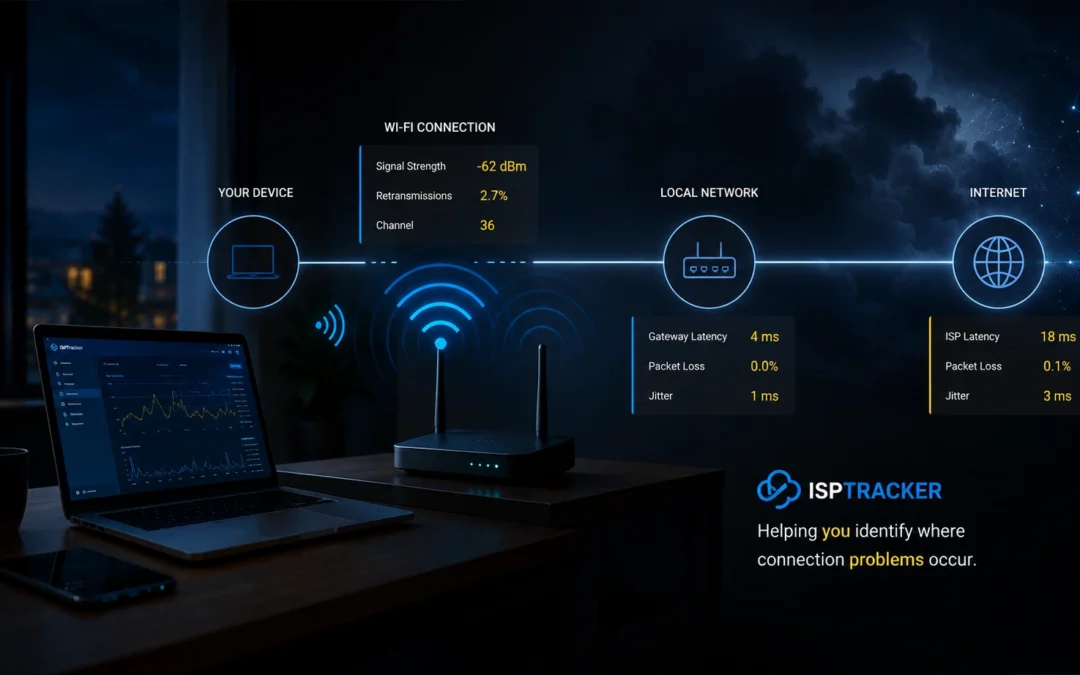
Is the problem Wi-Fi, the local network, or the Internet connection?
When someone says “the Internet is bad,” weak Wi-Fi is only one possible cause.
ISP Tracker can combine Wi-Fi signal, retransmissions, local gateway behavior, outages, and other connection evidence to help show where the problem deserves investigation first.
Wi-Fi problems are more than signal strength
A strong Wi-Fi signal does not automatically mean the wireless connection is healthy, and a weak signal is not the only thing that can make a connection unreliable.
ISP Tracker can monitor Wi-Fi signal strength, retransmissions, local gateway response, and other available measurements alongside Internet outages and connection history. Looking at those measurements together can help distinguish a wireless problem from another local-network issue or a problem farther out on the Internet connection.
Retransmissions are especially useful. When wireless traffic has to be transmitted again, it can indicate interference, congestion, signal problems, or other Wi-Fi conditions. But retransmissions are only one part of the picture, which is why ISP Tracker evaluates them alongside signal strength, local latency, and the rest of the connection evidence.
Example: outages point local, but the Wi-Fi itself looks healthy
Real recent ISP Tracker monitoring data
What ISP Tracker measured
Last 24 hours
36 outages totaling about 3 minutes
No disconnections
Wi-Fi monitoring active on 5GHz
Wi-Fi signal averaged 100%
Retransmissions averaged about 0.18%
Gateway latency averaged about 10.2 ms
DNS latency averaged about 8.8 ms
ISP Tracker analysis
The connection had repeated short outages, and the outage evidence pointed toward the local network during this period.
The Wi-Fi measurements themselves looked stable. Signal remained strong, retransmissions were extremely low, and response to the local gateway remained healthy.
That combination is important. The outage evidence points locally, but the Wi-Fi measurements do not show the usual signs of weak or unstable wireless service.
The next places to investigate would therefore be local routing, the gateway, cabling, or device-side behavior rather than starting with Wi-Fi signal or wireless interference.
Over the last seven days, the pattern was mixed, with outages split between provider-side and local-network classifications.
Why retransmissions matter
Wireless retransmissions show how often Wi-Fi traffic has to be sent again because the original transmission was not successfully received.
A rising retransmission rate can help reveal interference, congestion, weak signal, or other wireless-link problems that may not be obvious from signal strength alone.
At the same time, low retransmissions do not automatically prove that Wi-Fi is perfect. Signal drops, gateway latency, outages, and other measurements still need to be considered together. That is why ISP Tracker uses Wi-Fi measurements as part of the broader connection picture rather than treating any single number as the answer.
Example: the Wi-Fi measurements themselves show something worth investigating
Real historical ISP Tracker monitoring data
What ISP Tracker measured
399 Wi-Fi samples in the last seven days
5GHz connection
Average signal: 87.5%
Signal dropped as low as 33%
Gateway latency peaked at 511 ms
Retransmissions remained low at about 0.36%
No fresh Wi-Fi samples in the last 24 hours
ISP Tracker analysis
The strongest Wi-Fi concern during this sampled period was not steady packet retransmission. Retransmissions remained low overall.
The more important warning signs were the sharp drop in signal strength and the 511 ms local gateway latency spike.
This is why looking at only one Wi-Fi metric can be misleading. Low retransmissions did not mean there was nothing to investigate; the signal and local latency measurements still showed a significant change in wireless/local-network conditions.
Because the agent is not currently providing fresh Wi-Fi samples, this should be treated as historical evidence rather than a statement about the connection’s current Wi-Fi condition.
Better answers for remote support
Remote workers can describe very different problems with the same phrase: “the Internet keeps dropping.”
With Wi-Fi monitoring enabled, support can see whether signal strength is unstable, retransmissions are increasing, the local gateway is responding poorly, or the Wi-Fi itself looks healthy while outages continue elsewhere.
That can reduce guesswork and help support teams focus on the part of the connection that actually deserves investigation instead of automatically blaming the provider, replacing Wi-Fi equipment, or repeatedly asking the user to reboot devices.
Wi-Fi monitoring adds local evidence to the bigger picture
Wi-Fi monitoring is an additional ISP Tracker diagnostic capability and is useful when Wi-Fi measurements are available from the monitored connection.
It does not replace Internet monitoring. Its value comes from combining wireless measurements with outages, disconnections, local-network behavior, performance history, and other evidence so the overall assessment can better explain where a problem appears to be occurring.
Stop guessing whether Wi-Fi is the problem
ISP Tracker brings Wi-Fi signal, retransmissions, local-network behavior, and Internet monitoring evidence together so troubleshooting can start with what the connection is actually showing.