
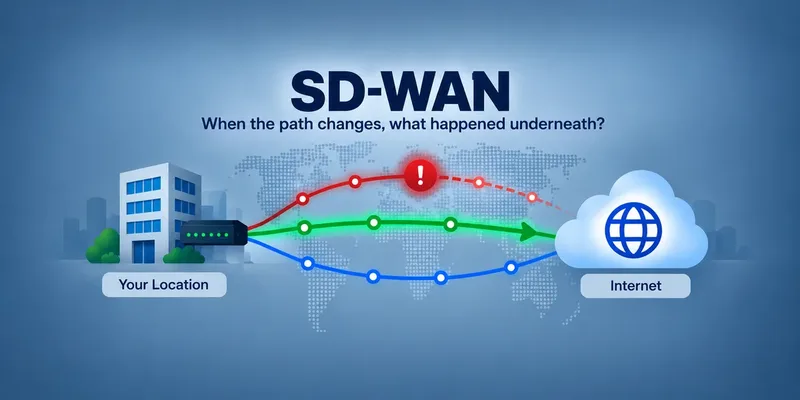
SD-WAN is designed to keep traffic moving. When one connection or path becomes unavailable or performs poorly, traffic can be moved to another available path.
That's good for availability, but it can make Internet problems harder to investigate. By the time an IT team looks into an intermittent problem, SD-WAN may have already changed paths and everything appears normal again.
What happened before SD-WAN routed around the problem?
An SD-WAN platform can provide valuable information about its own decisions and connections. ISP Tracker adds an independent view of the Internet connectivity underneath it.
ISP Tracker builds a history of the networks and paths observed from each monitored location. When those paths change, ISP Tracker can compare what was happening before, during and after connectivity problems.
This can help answer questions such as:
- Was a different Internet path being used when the problem occurred?
- Do problems repeatedly appear with particular observed network paths?
- Did several locations experience related problems at approximately the same time?
- Do affected locations share network infrastructure even when they use different ISPs?
- Did network behavior change again when connectivity recovered?
One path tells part of the story — History reveals patterns
Internet paths can cross multiple networks identified by their IP addresses and Autonomous System Numbers (ASNs). Individual routes can change, and not every part of an Internet path is always visible.
That makes a single traceroute a snapshot, not an explanation.
ISP Tracker builds observations over time. Repeated observations can establish which network paths are commonly seen from a monitored location and make unusual changes or recurring patterns easier to identify.
A network appearing in an affected path does not by itself mean that network caused the problem. But when the same network or path repeatedly appears during disruptions, particularly across multiple independently monitored locations, it provides valuable evidence for further investigation.
Keep your SD-WAN monitoring — Add an independent perspective
ISP Tracker isn't intended to replace SD-WAN management or existing network monitoring. It adds another source of information focused on what the Internet connections themselves are doing.
This can be particularly useful when SD-WAN successfully routes around a problem. Users may remain connected, but the underlying service can still be experiencing recurring issues that an organization paying for resilient connectivity needs to understand.
Deploying ISP Tracker across multiple locations also allows observations to be compared. A problem at one location can be compared with other locations using the same provider, different providers, or similar network paths.
SD-WAN helps keep traffic moving. ISP Tracker helps build the independent history needed to understand what was happening when Internet connectivity changed.