
Your internet reports, explained.
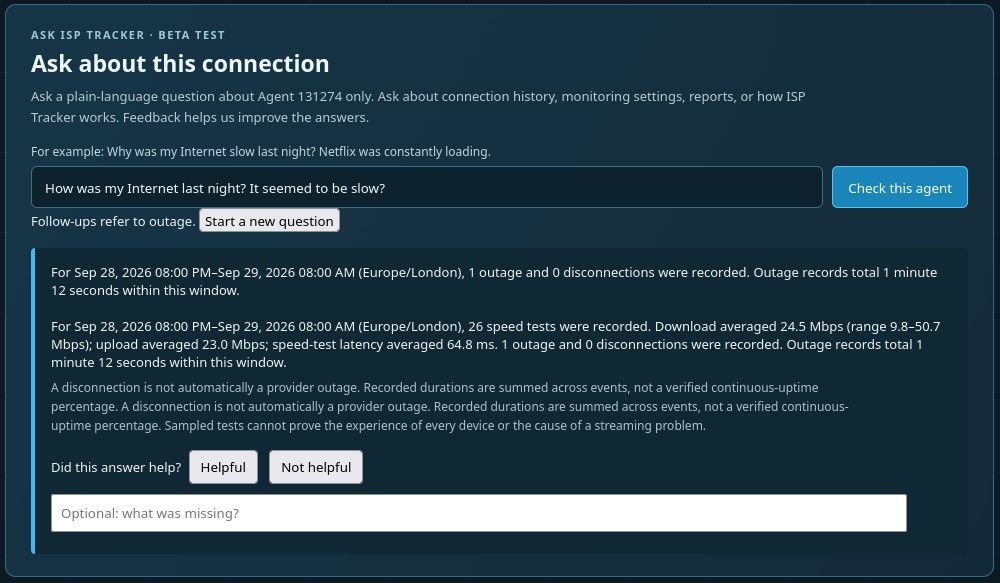
You no longer have to dig through charts and measurements to understand your monitored results—simply ask a question. ISP Tracker Answers checks your agent’s recorded data and explains what it finds in plain language.
It’s like having your own IT person help you understand what ISP Tracker recorded.
Less searching. More understanding.
Whether you’re checking an interruption, reviewing download speeds or looking for changes in response times, ISP Tracker Answers helps you find the information that matters.
Try asking:
You don’t need to know which report to open first. Start with what you want to understand, and ISP Tracker Answers helps you explore what ISP Tracker recorded.
Put your monitoring data to work
ISP Tracker records your connection’s performance over time. ISP Tracker Answers gives you an easier way to use that history—whether you’re checking what happened during a disrupted call, investigating a slow evening or reviewing overnight activity.
Plain-language explanations help you understand the measurements and recorded events. When you want a closer look, the detailed reports are there to explore.
Ask your first question
ISP Tracker Answers is available for installed agents at the Extended level.
Include a date or time when relevant to help focus the answer.
Spend less time searching through reports and more time understanding your internet connection.